
Vibe coding prompts.

See what people have mocked up with the HealthSherpa API, then copy a tool-specific prompt to start your own quote workflow. Keep API keys in server-side secrets, never in chat or browser code.

Start here

Five steps before you test a prototype.

  1. 01

    Get an API key

    Register, confirm your email, and generate a key in the HealthSherpa developer portal. Get a key.

  2. 02

    Pick a builder

    Open one of the tools below. Start with the one your team already trusts.

  3. 03

    Paste the prompt

    Copy the matching prompt into the builder. Do not add your API key to the message.

  4. 04

    Add the secret

    Store the key as HEALTHSHERPA_API_KEY in the tool's server-side secrets.

  5. 05

    Test the flow

    Confirm ZIP-to-county lookup works before quote submission, then review plan results.

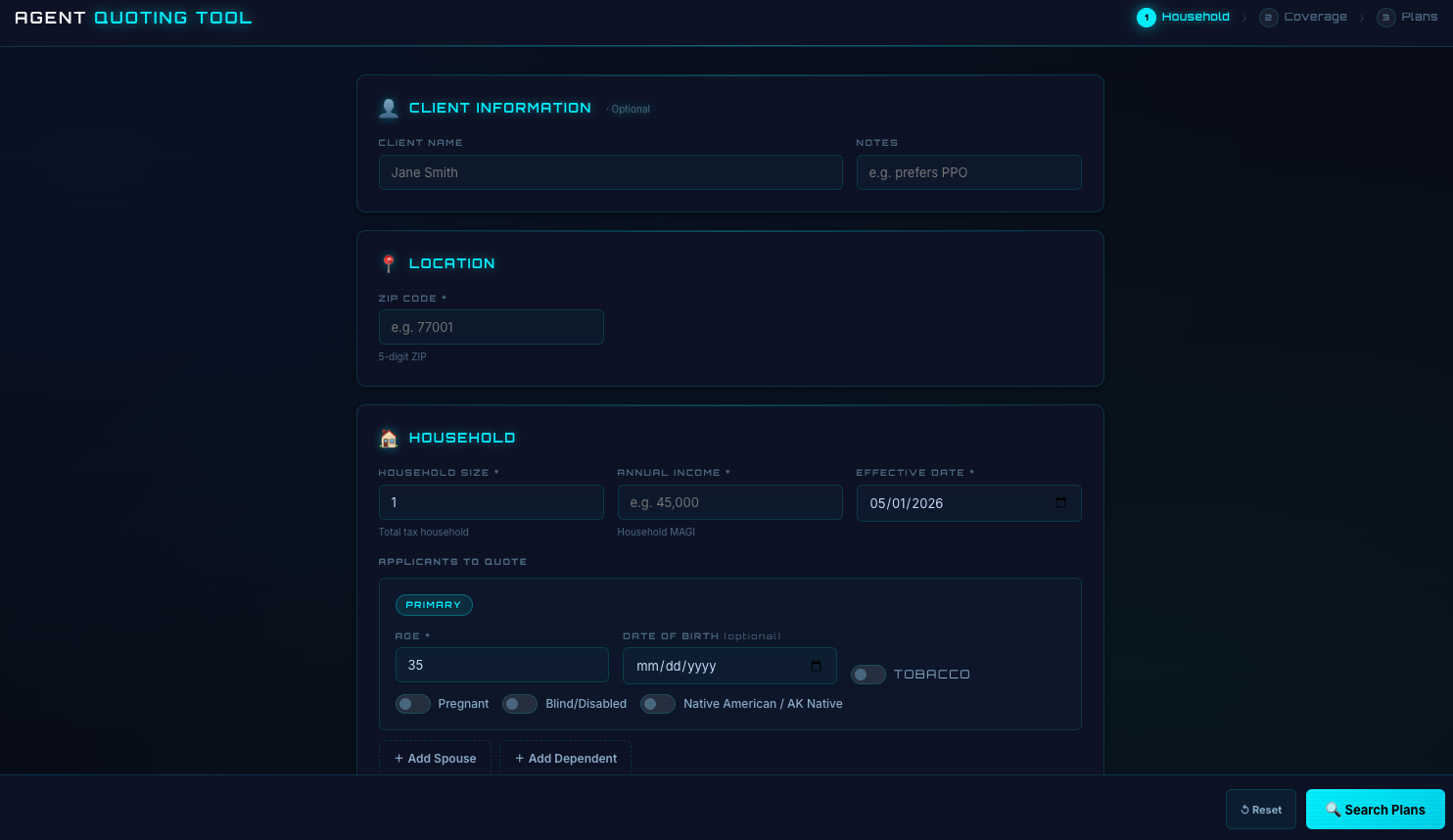
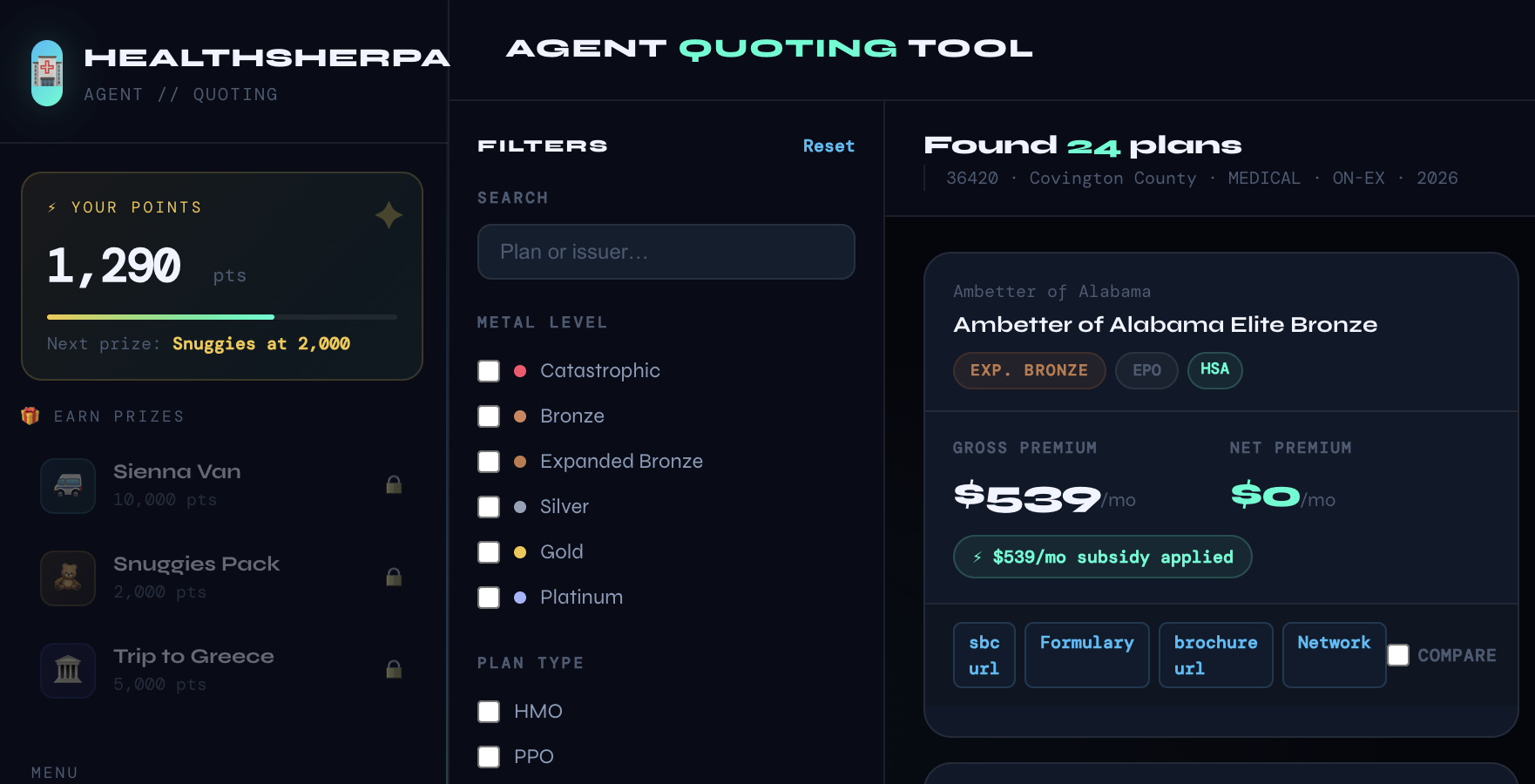
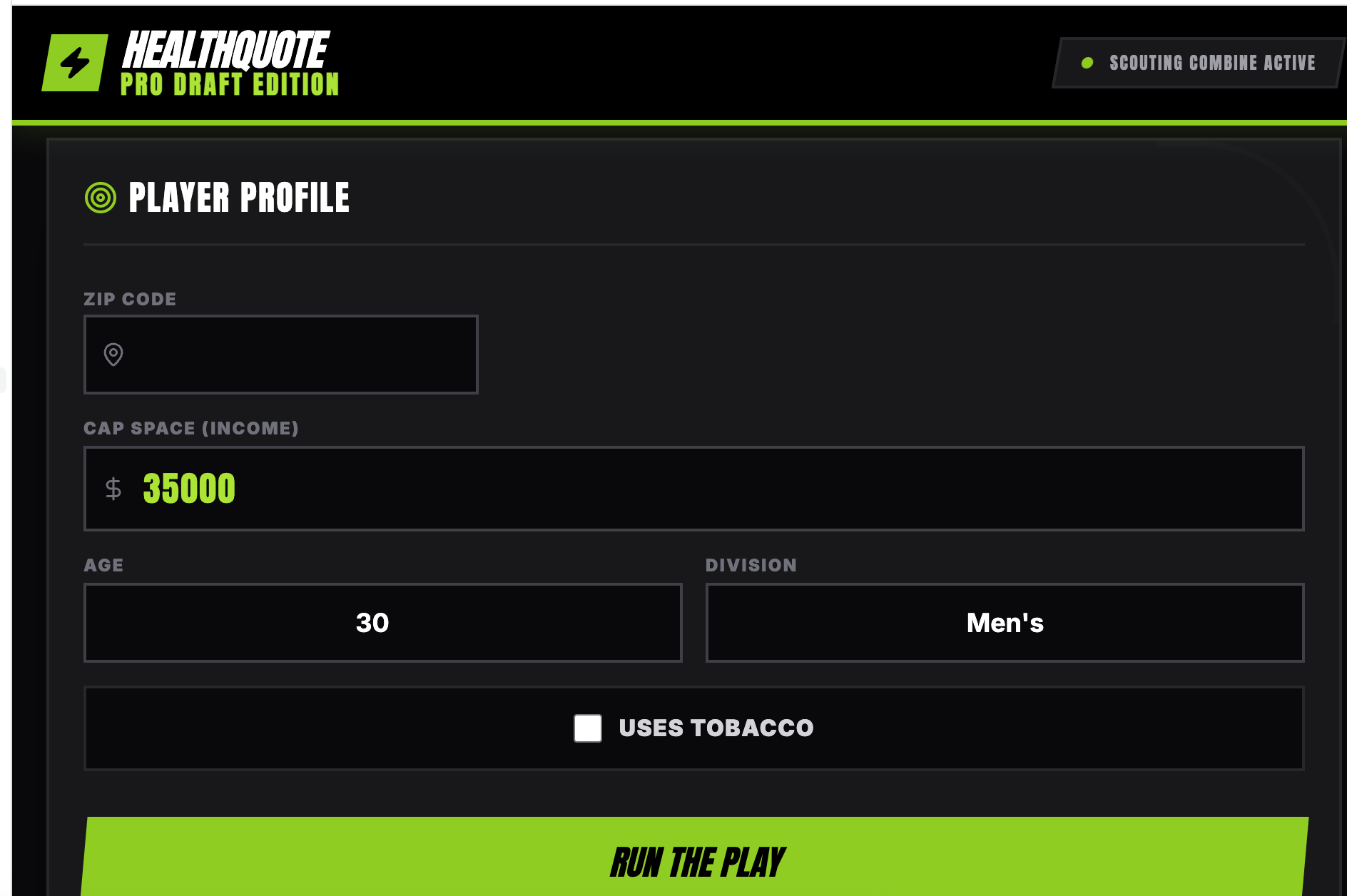
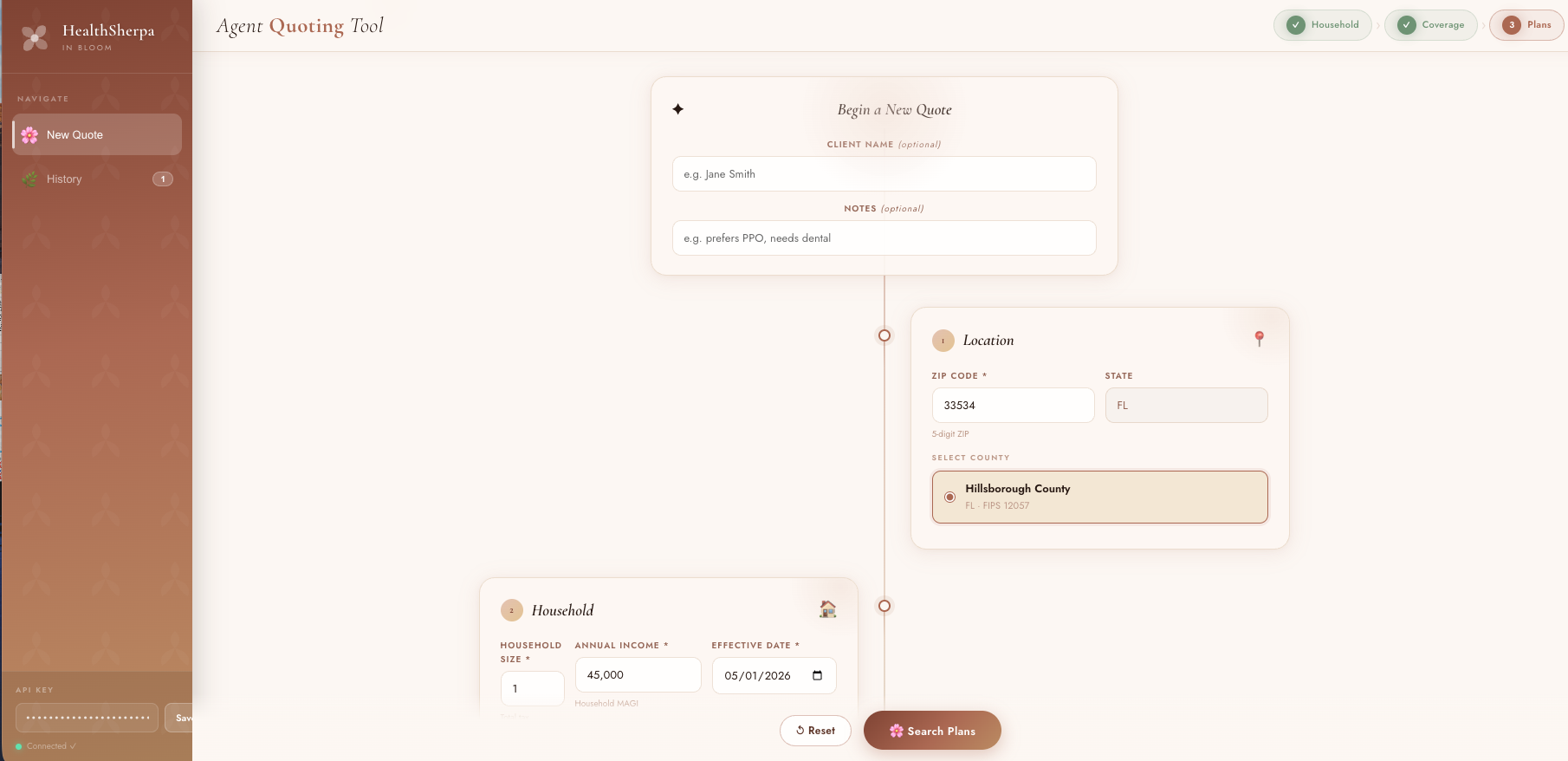
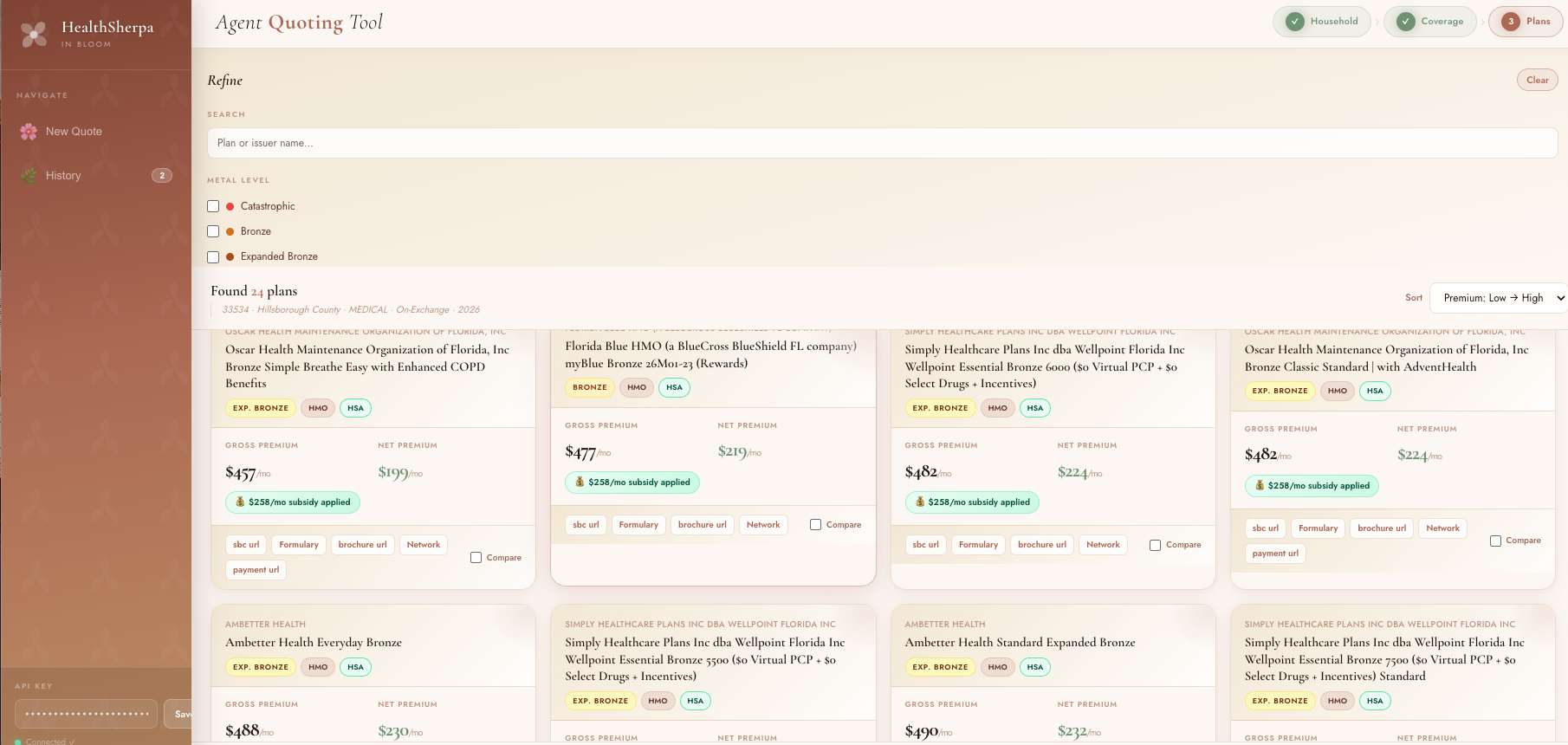
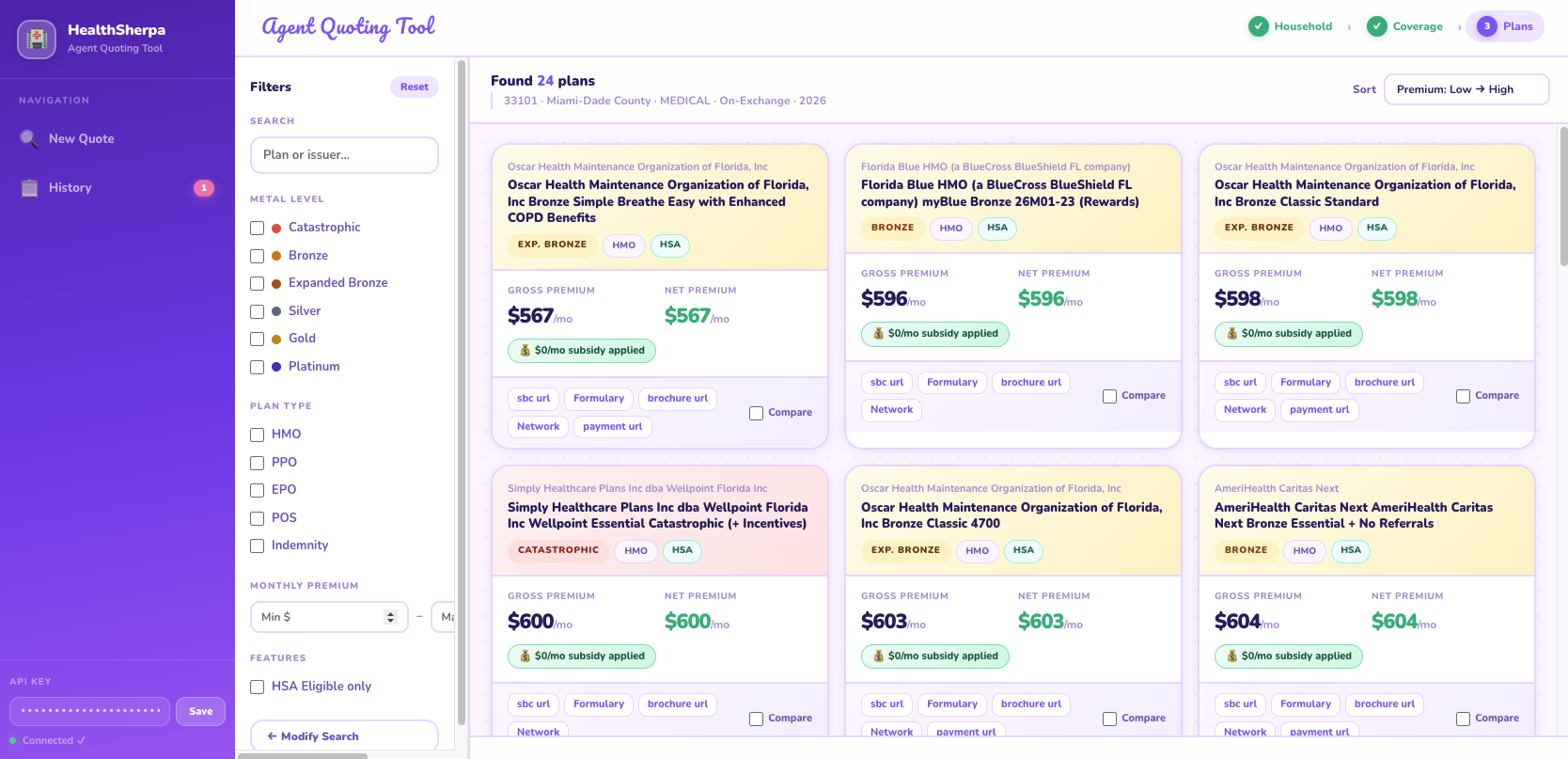
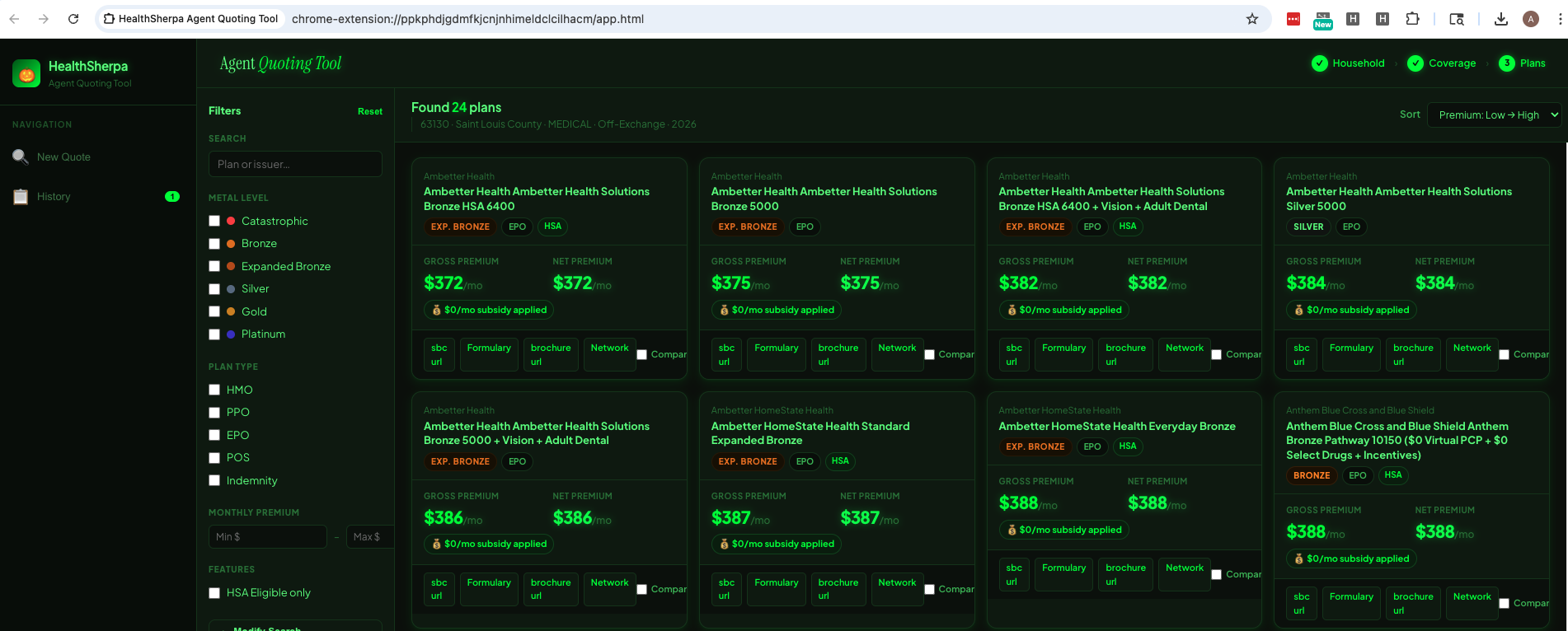
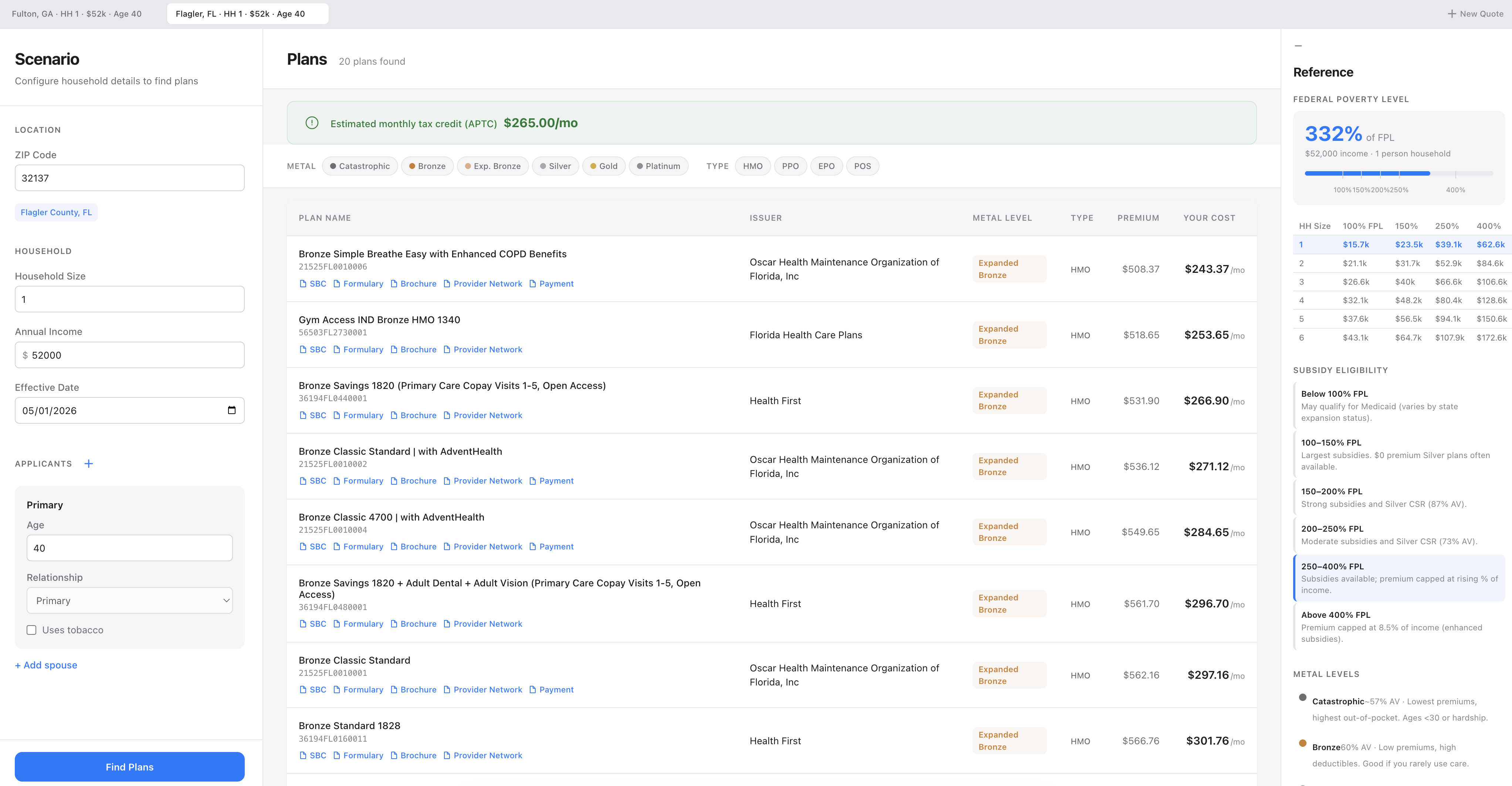
What people are building

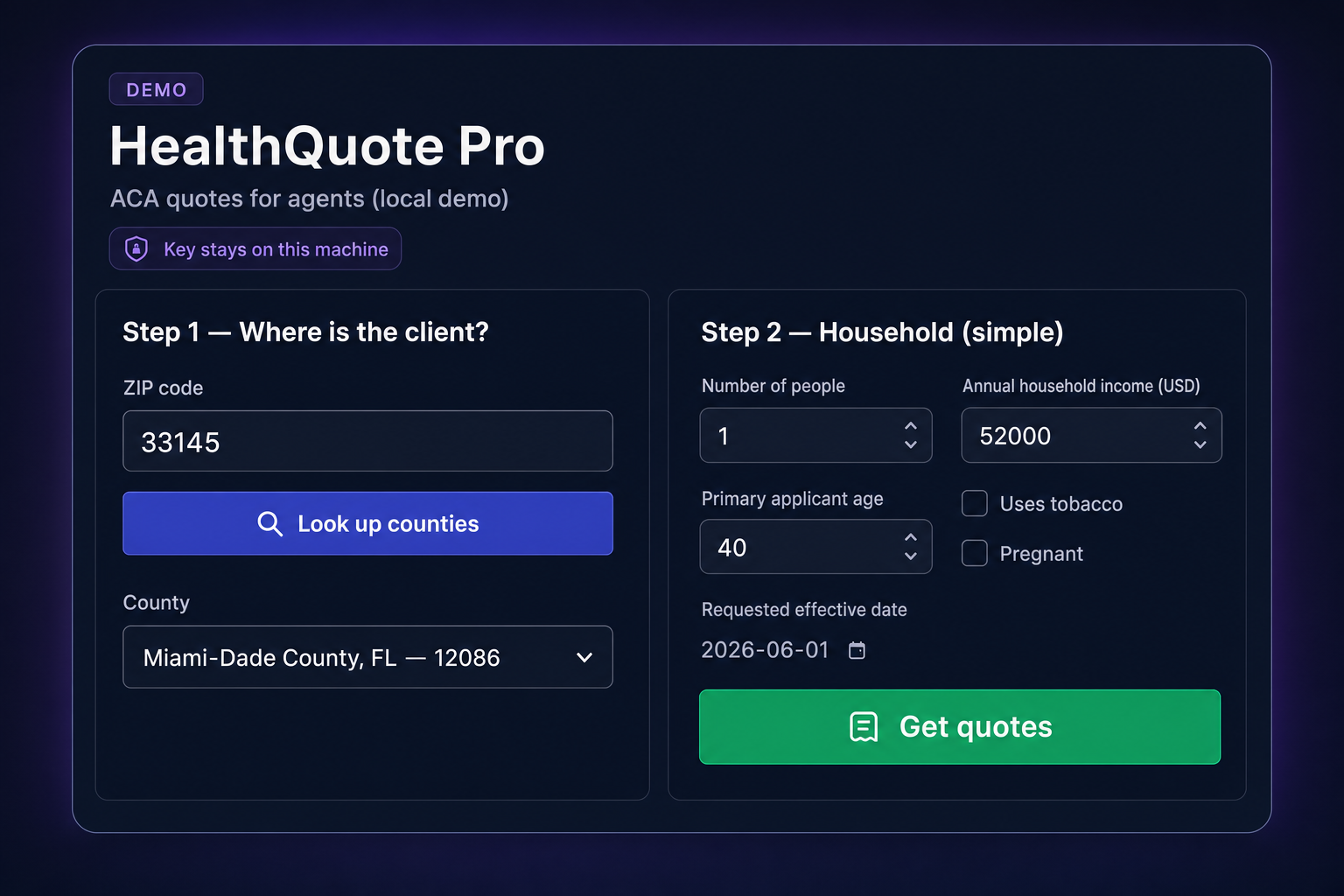
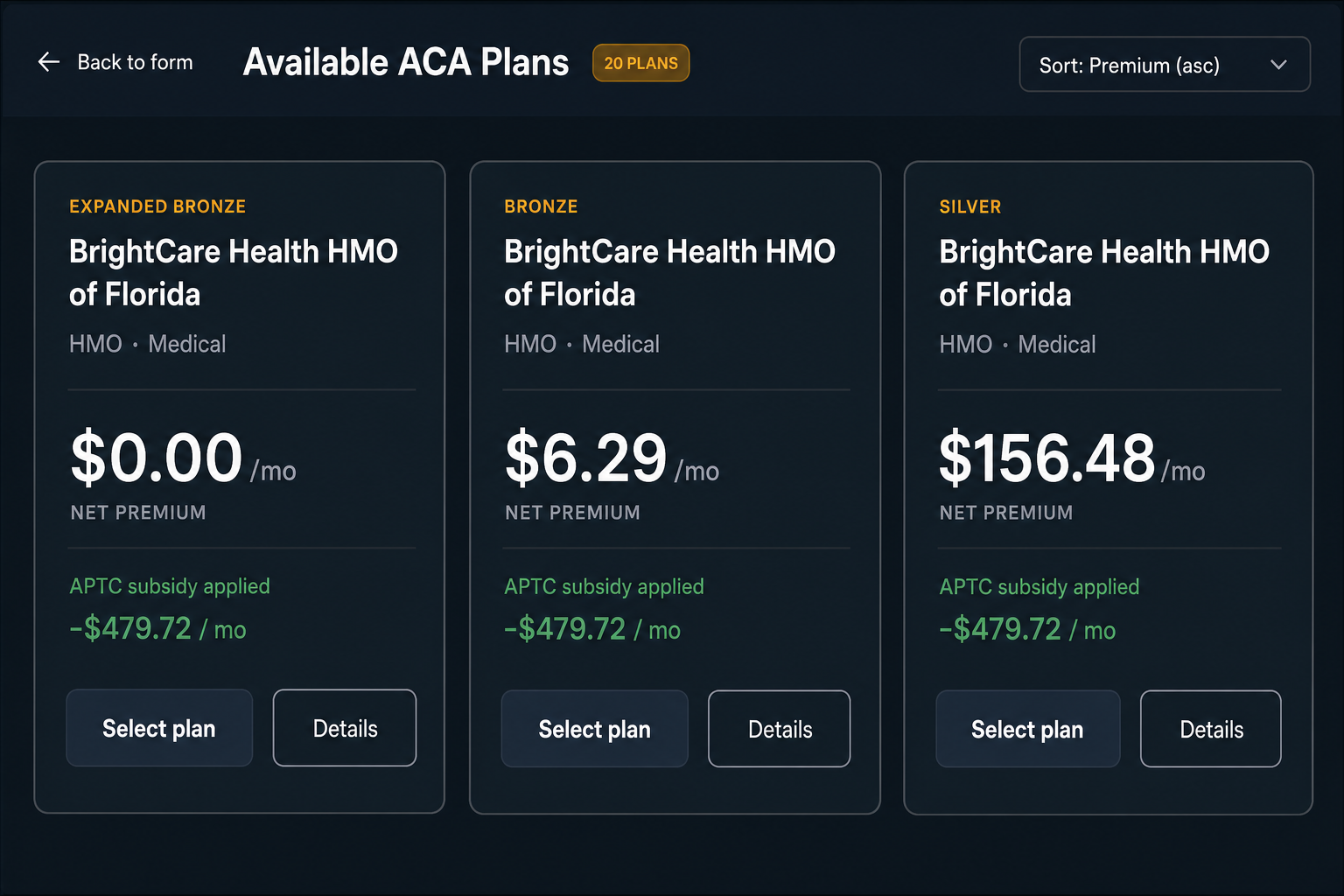
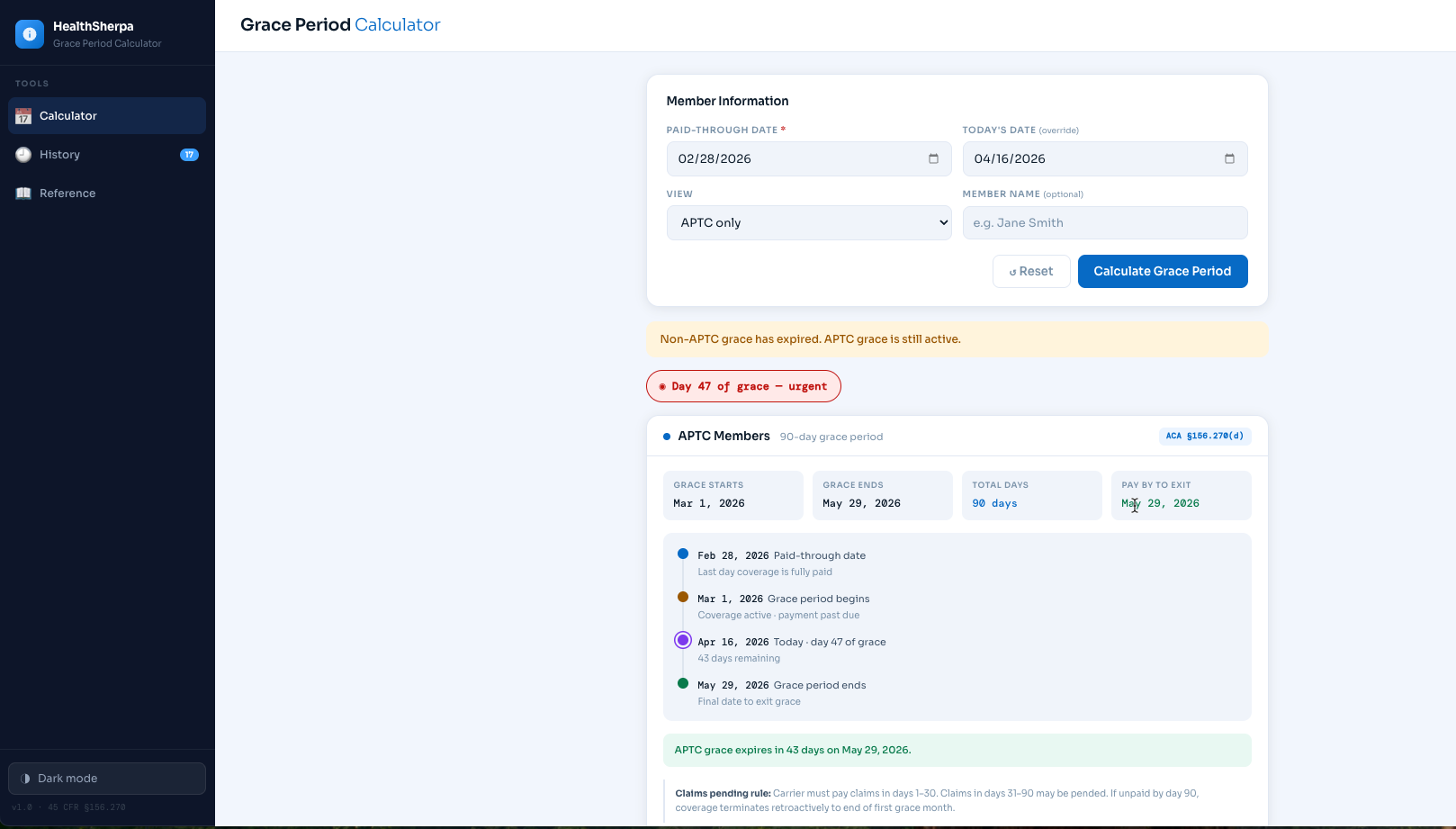
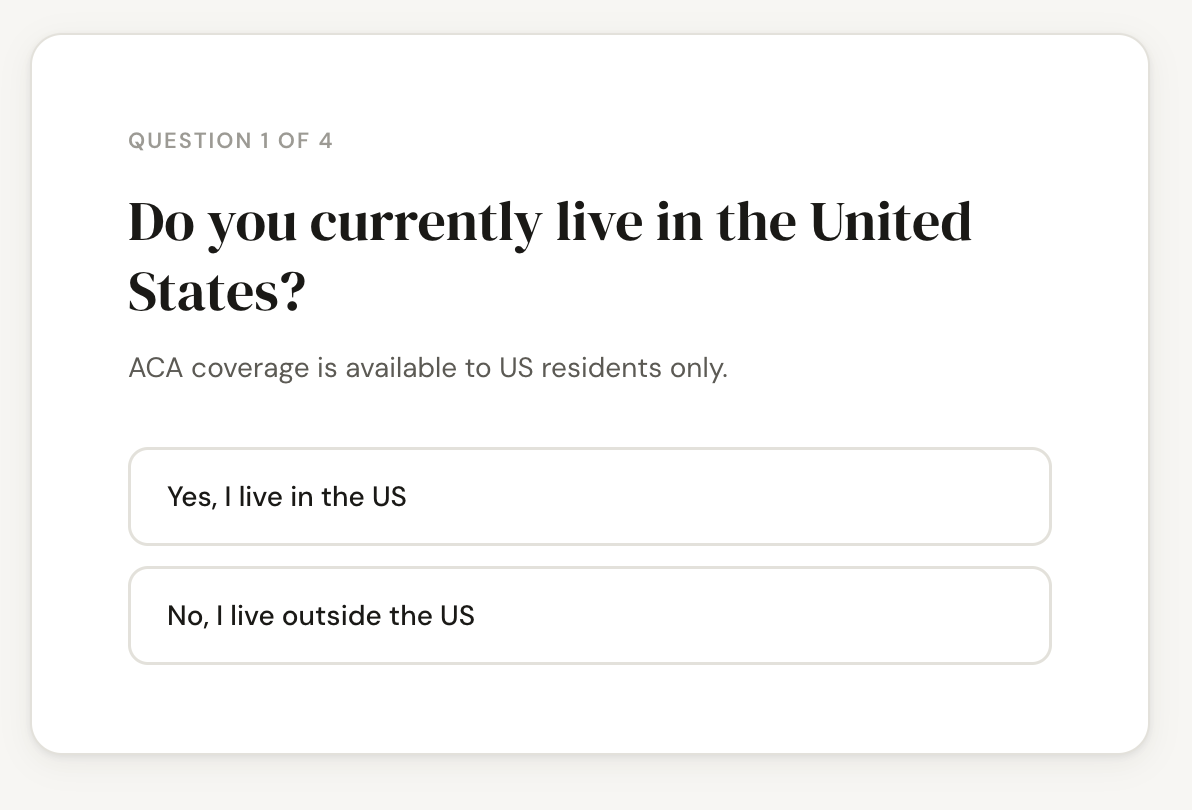
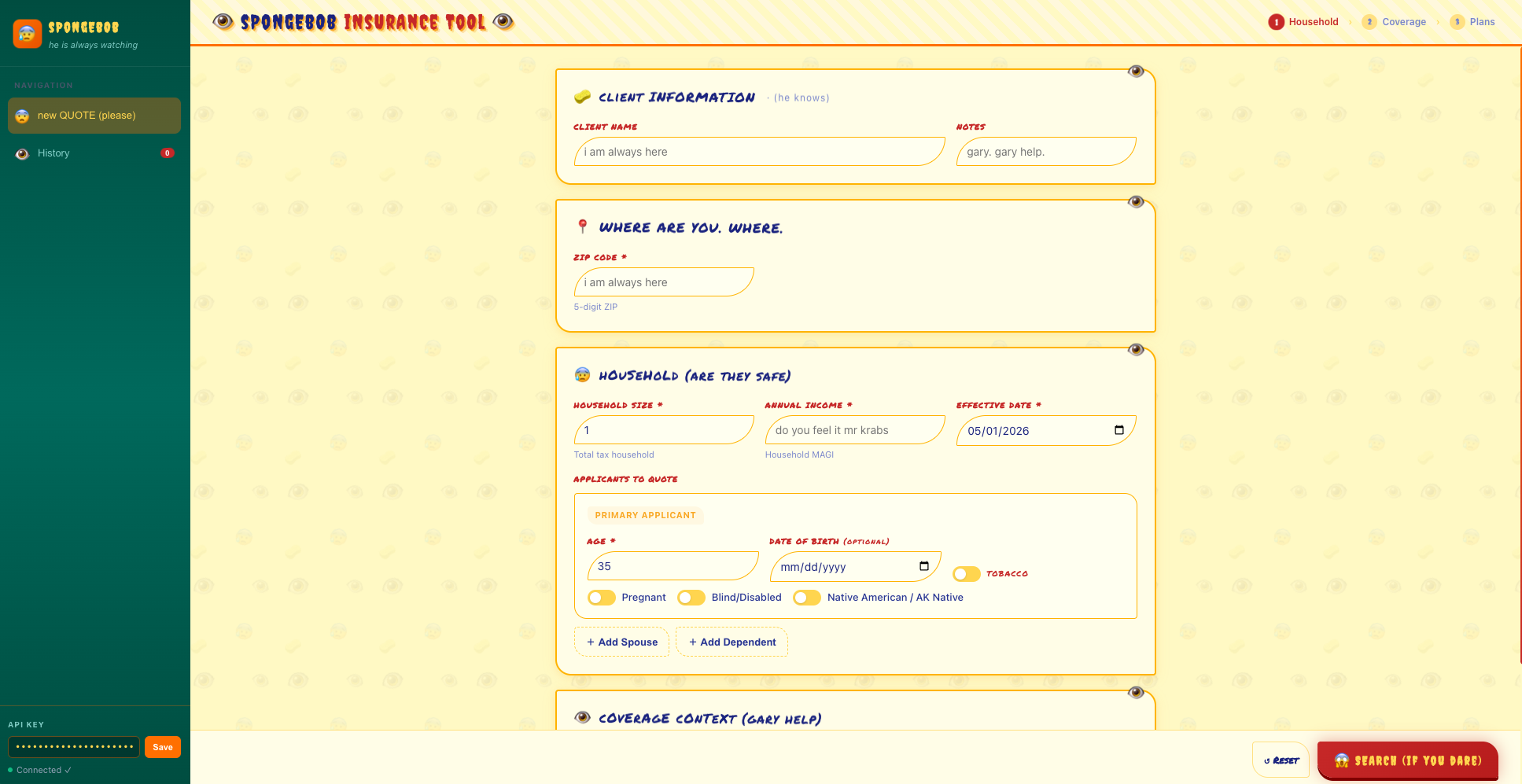
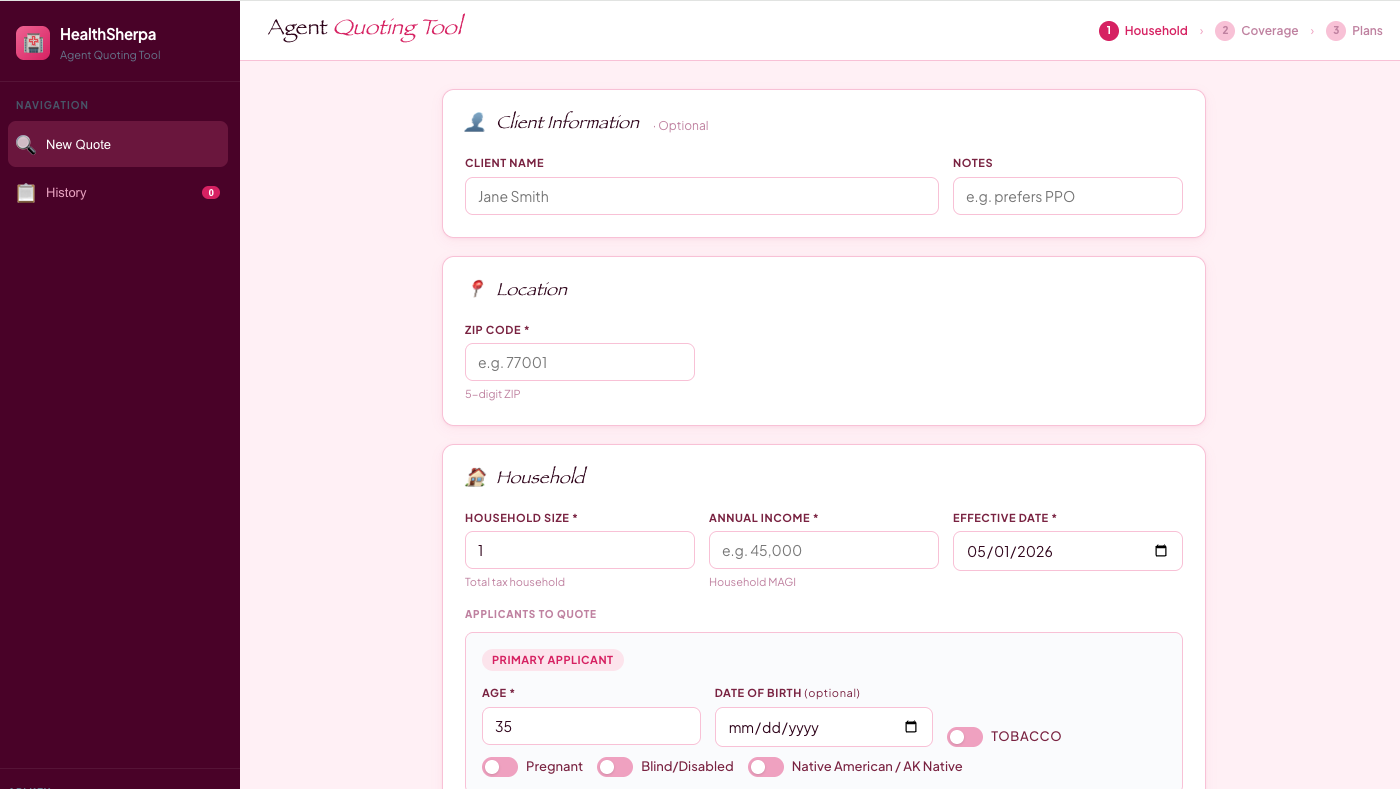
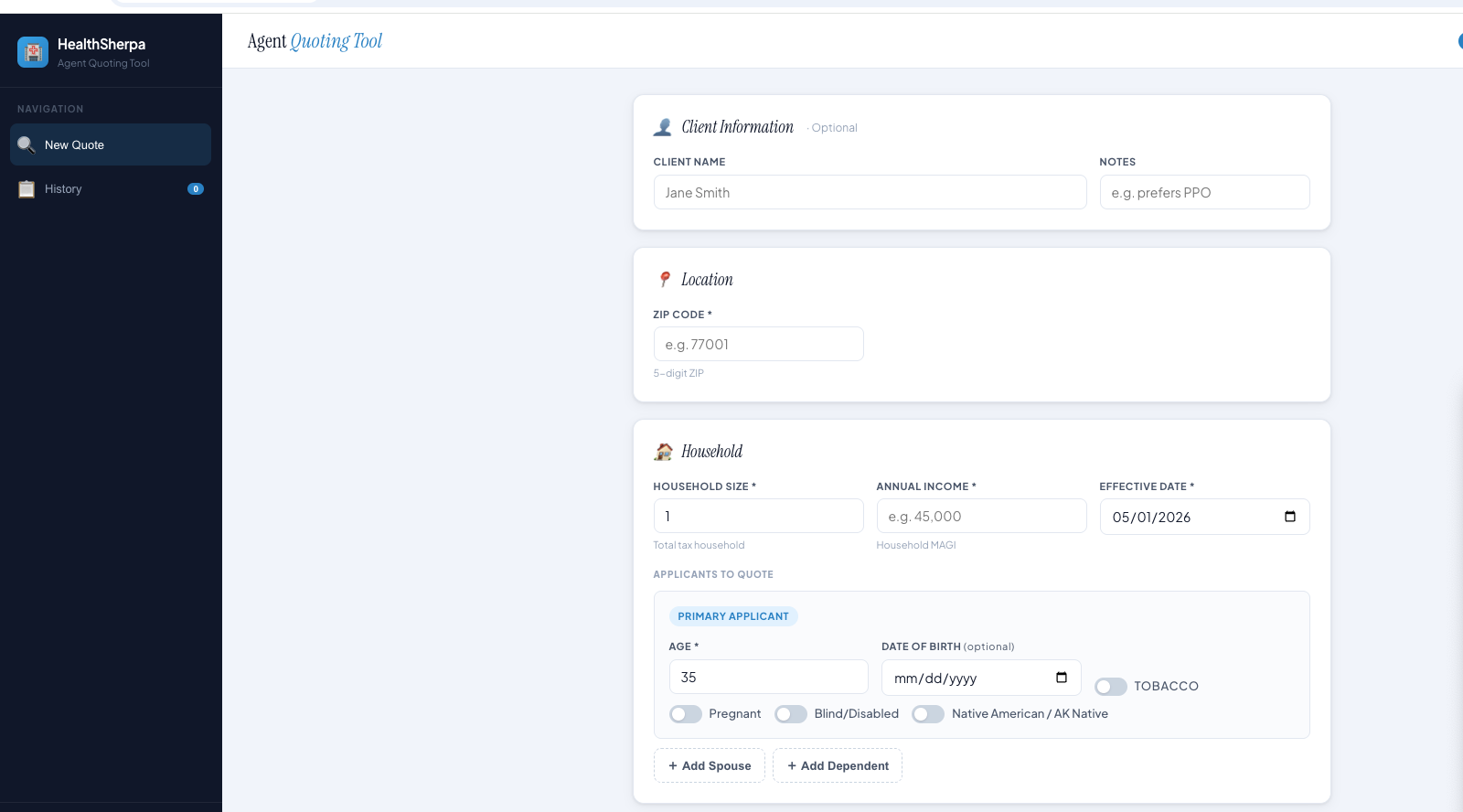
Examples from people trying quick quote-tool prototypes.

These are rough prototype screenshots, not production deployment or enrollment guidance. Use the prompts below for server-side secret handling and quote-only API calls unless HealthSherpa has approved additional enrollment access.

Key rule

Put the key where the server runs.

Your key should act like a password. The builder can create the interface, but it should never receive the secret in chat.

Do
  • Use a server-side secret named HEALTHSHERPA_API_KEY.
  • Route browser requests through your own backend.
  • Call HealthSherpa with the x-api-key header from the backend.
  • Rotate the key if it is ever pasted into chat, committed, logged, or shared.
Avoid
  • Do not paste the key into a builder prompt.
  • Do not expose it through frontend env vars, localStorage, screenshots, or browser bundles.
  • Do not call https://api.one.healthsherpa.com/v1 directly from the browser.
  • Do not use Authorization: Bearer; the API uses x-api-key.
Prompt library

Choose one tool and copy its prompt.

Google AI Studio

Open AI Studio

Build in AI Studio, store keys in server-side settings.

Where to paste: AI Studio's app builder prompt box.

Where the key belongs: Firebase, Cloud Run, or app hosting secrets named HEALTHSHERPA_API_KEY.

Prompt file: Open raw prompt.

Prototype note

These prompts are meant to help non-technical builders make an MVP or one-shot prototype. Before using real customer data, sharing the app broadly, or deploying it for production, have security, access control, privacy, logging, rate limiting, and API-key handling reviewed separately.

prompts/google-ai-studio-healthquote-pro.md
# Google AI Studio prompt: HealthQuote Pro

Paste this into Google AI Studio's app builder. Do not paste your HealthSherpa API key into the chat. The app must read the key only from a server-side secret or environment variable named `HEALTHSHERPA_API_KEY`.

Prototype note: This prompt is meant to help non-technical builders create a one-shot MVP. Generated code should not be treated as production ready; before using real customer data, sharing the app broadly, or deploying it for production, have security, access control, privacy, logging, rate limiting, and API-key handling reviewed separately.

Before building, review the current HealthSherpa developer site at `https://one.healthsherpa.com/docs.html` and the OpenAPI contract at `https://one.healthsherpa.com/openapi.json`. Treat those as the source of truth for endpoint changes, request shapes, response fields, and setup instructions.

You are a senior full-stack engineer, product manager, and UX designer who understands ACA health insurance agent workflows. Build a polished "HealthQuote Pro" web app that helps licensed agents collect a few household details, resolve the client's county, and show accurate ACA quote results from the HealthSherpa API.

Critical security requirements:

- Build a full-stack app, not a client-only prototype.
- Never put the HealthSherpa API key in frontend code, public environment variables, browser storage, screenshots, logs, generated README examples, or any bundle shipped to the browser.
- Store the key only in Google AI Studio/Firebase/Cloud Run secrets or server-side environment settings as `HEALTHSHERPA_API_KEY`.
- The browser must call only your own backend routes. The backend route is the only place that calls `https://api.one.healthsherpa.com` with `/v1/...` paths.
- Use the `x-api-key` request header. Do not use `Authorization: Bearer`.
- Add clear setup instructions that tell the user where to configure `HEALTHSHERPA_API_KEY` before deploying.

HealthSherpa API facts:

- API origin: `https://api.one.healthsherpa.com`
- Authentication header: `x-api-key: process.env.HEALTHSHERPA_API_KEY`
- County lookup path: `GET /v1/reference/counties?zip_code=33145`
- Issuer lookup path: `GET /v1/reference/issuers?state=FL` (optional `&plan_year=YYYY`; defaults to the current ACA plan year)
- Quote path: `POST /v1/quotes`

Build this workflow:

1. Ask for a five-digit ZIP code first.
2. Call your backend route, for example `GET /api/counties?zip_code=33145`.
3. The backend calls HealthSherpa `GET /v1/reference/counties?zip_code=33145`.
4. If the ZIP code maps to multiple counties, show a county dropdown. Store the selected county `name`, `fips_code`, and `state`.
5. Ask for household size, annual household income, primary applicant age, tobacco use, pregnancy, and requested effective date.
6. Compute the default effective date at runtime as the first day of the next month formatted as `YYYY-MM-DD`. Do not copy a literal date from this prompt.
7. If you include `context.plan_year`, set it to the year from `effective_date`. Do not hardcode or copy a calendar year into generated code.
8. Call your backend route, for example `POST /api/quotes`.
9. The backend sends this request shape to HealthSherpa:

```json
{
  "context": {
    "product": "aca",
    "exchange": "on_exchange",
    "coverage_family": "medical",
    "coverage_type": "medical"
  },
  "location": {
    "zip_code": "33145",
    "fips_code": "12086",
    "state": "FL"
  },
  "household": {
    "household_size": 1,
    "annual_income": 52000,
    "effective_date": "{{effective_date_yyyy_mm_dd}}",
    "applicants": [
      {
        "member_id": "primary",
        "age": 40,
        "relationship": "primary",
        "uses_tobacco": false,
        "pregnant": false
      }
    ]
  },
  "sort": {
    "field": "premium",
    "direction": "asc"
  },
  "page": {
    "number": 1,
    "size": 20
  }
}
```

Rendering requirements:

- Render quote cards from the response `plans` array.
- Carrier: `plan.issuer.name`
- Net premium: `plan.pricing.net_premium`, falling back to `plan.pricing.gross_premium`
- Gross premium: `plan.pricing.gross_premium`
- APTC/subsidy: `plan.pricing.subsidy_applied`, with `plan.pricing.max_aptc` labeled separately as maximum APTC when present
- Metal level: `plan.details.metal_level`
- Plan type: `plan.details.plan_type`
- Use optional chaining or equivalent guards. Do not call `.toLowerCase()` or number formatting on undefined values.
- Handle values like `expanded_bronze` gracefully in labels.
- Include empty states, loading states, and clear error messages for invalid ZIP codes, missing county selection, invalid API key, rate limits, and upstream errors.

Plan detail modal:

- Add a "View details" button on each plan card.
- The modal should show gross premium, subsidy/APTC, net premium, metal level, plan type, and issuer.
- If document URLs exist, show external links for summary of benefits, brochure, formulary, provider directory, and plan details.
- Open external links in a new tab with safe `rel` attributes.

Design requirements:

- Build a clean agent dashboard with a left-to-right flow: location, household, quotes.
- Make it responsive for laptop and tablet screens.
- Use accessible labels, keyboard-friendly controls, visible focus states, and readable contrast.
- Keep the UI professional and calm. Do not imply enrollment is complete. This is a quoting workflow only.

Acceptance checks before you finish:

- Confirm the generated frontend never references `HEALTHSHERPA_API_KEY`.
- Confirm API calls from the browser go only to backend routes.
- Confirm backend HealthSherpa calls include `x-api-key`.
- Confirm the README or setup panel tells the user exactly where to store `HEALTHSHERPA_API_KEY`.
- Confirm county lookup happens before quote submission.
- Confirm the app handles missing optional fields without crashing.

Lovable

Open Lovable

Use built-in secrets and backend routes for live HealthSherpa calls.

Where to paste: Lovable's first app prompt or follow-up chat.

Where the key belongs: Lovable secrets/environment settings named HEALTHSHERPA_API_KEY.

Prompt file: Open raw prompt.

Prototype note

These prompts are meant to help non-technical builders make an MVP or one-shot prototype. Before using real customer data, sharing the app broadly, or deploying it for production, have security, access control, privacy, logging, rate limiting, and API-key handling reviewed separately.

prompts/lovable-healthquote-pro.md
# Lovable prompt: HealthQuote Pro

Paste this into Lovable. Do not paste your HealthSherpa API key into the prompt. The generated app must read the key only from Lovable secrets or server-side environment settings named `HEALTHSHERPA_API_KEY`.

Prototype note: This prompt is meant to help non-technical builders create a one-shot MVP. Generated code should not be treated as production ready; before using real customer data, sharing the app broadly, or deploying it for production, have security, access control, privacy, logging, rate limiting, and API-key handling reviewed separately.

Before building, review the current HealthSherpa developer site at `https://one.healthsherpa.com/docs.html` and the OpenAPI contract at `https://one.healthsherpa.com/openapi.json`. Treat those as the source of truth for endpoint changes, request shapes, response fields, and setup instructions.

You are a senior full-stack engineer, product manager, and UX designer who understands ACA health insurance agent workflows. Build a polished "HealthQuote Pro" web app that helps licensed agents collect a few household details, resolve the client's county, and show accurate ACA quote results from the HealthSherpa API.

Critical security requirements:

- Build a full-stack app with server-side API routes, not a client-only prototype.
- Never put the HealthSherpa API key in frontend code, public environment variables, browser storage, screenshots, logs, generated README examples, or any bundle shipped to the browser.
- Store the key only in Lovable secrets or server-side environment settings as `HEALTHSHERPA_API_KEY`.
- The browser must call only your own backend routes. The backend route is the only place that calls `https://api.one.healthsherpa.com` with `/v1/...` paths.
- Use the `x-api-key` request header. Do not use `Authorization: Bearer`.
- Add a visible setup checklist that tells the user to add `HEALTHSHERPA_API_KEY` in Lovable's secrets/environment settings before testing live API calls.

HealthSherpa API facts:

- API origin: `https://api.one.healthsherpa.com`
- Authentication header: `x-api-key: process.env.HEALTHSHERPA_API_KEY`
- County lookup path: `GET /v1/reference/counties?zip_code=33145`
- Issuer lookup path: `GET /v1/reference/issuers?state=FL` (optional `&plan_year=YYYY`; defaults to the current ACA plan year)
- Quote path: `POST /v1/quotes`

Build this workflow:

1. Ask for a five-digit ZIP code first.
2. Call your backend route, for example `GET /api/counties?zip_code=33145`.
3. The backend calls HealthSherpa `GET /v1/reference/counties?zip_code=33145`.
4. If the ZIP code maps to multiple counties, show a county dropdown. Store the selected county `name`, `fips_code`, and `state`.
5. Ask for household size, annual household income, primary applicant age, tobacco use, pregnancy, and requested effective date.
6. Compute the default effective date at runtime as the first day of the next month formatted as `YYYY-MM-DD`. Do not copy a literal date from this prompt.
7. If you include `context.plan_year`, set it to the year from `effective_date`. Do not hardcode or copy a calendar year into generated code.
8. Call your backend route, for example `POST /api/quotes`.
9. The backend sends this request shape to HealthSherpa:

```json
{
  "context": {
    "product": "aca",
    "exchange": "on_exchange",
    "coverage_family": "medical",
    "coverage_type": "medical"
  },
  "location": {
    "zip_code": "33145",
    "fips_code": "12086",
    "state": "FL"
  },
  "household": {
    "household_size": 1,
    "annual_income": 52000,
    "effective_date": "{{effective_date_yyyy_mm_dd}}",
    "applicants": [
      {
        "member_id": "primary",
        "age": 40,
        "relationship": "primary",
        "uses_tobacco": false,
        "pregnant": false
      }
    ]
  },
  "sort": {
    "field": "premium",
    "direction": "asc"
  },
  "page": {
    "number": 1,
    "size": 20
  }
}
```

Rendering requirements:

- Render quote cards from the response `plans` array.
- Carrier: `plan.issuer.name`
- Net premium: `plan.pricing.net_premium`, falling back to `plan.pricing.gross_premium`
- Gross premium: `plan.pricing.gross_premium`
- APTC/subsidy: `plan.pricing.subsidy_applied`, with `plan.pricing.max_aptc` labeled separately as maximum APTC when present
- Metal level: `plan.details.metal_level`
- Plan type: `plan.details.plan_type`
- Use optional chaining or equivalent guards. Do not call `.toLowerCase()` or number formatting on undefined values.
- Handle values like `expanded_bronze` gracefully in labels.
- Include empty states, loading states, and clear error messages for invalid ZIP codes, missing county selection, invalid API key, rate limits, and upstream errors.

Plan detail modal:

- Add a "View details" button on each plan card.
- The modal should show gross premium, subsidy/APTC, net premium, metal level, plan type, and issuer.
- If document URLs exist, show external links for summary of benefits, brochure, formulary, provider directory, and plan details.
- Open external links in a new tab with safe `rel` attributes.

Design requirements:

- Build a clean agent dashboard with a left-to-right flow: location, household, quotes.
- Make it responsive for laptop and tablet screens.
- Use accessible labels, keyboard-friendly controls, visible focus states, and readable contrast.
- Keep the UI professional and calm. Do not imply enrollment is complete. This is a quoting workflow only.

Acceptance checks before you finish:

- Confirm the generated frontend never references `HEALTHSHERPA_API_KEY`.
- Confirm API calls from the browser go only to backend routes.
- Confirm backend HealthSherpa calls include `x-api-key`.
- Confirm the setup checklist tells the user exactly where to store `HEALTHSHERPA_API_KEY`.
- Confirm county lookup happens before quote submission.
- Confirm the app handles missing optional fields without crashing.

Replit

Open Replit

Build with Replit Agent, then add the API key through Replit Secrets.

Where to paste: Replit Agent or the AI app builder prompt box.

Where the key belongs: Replit Secrets named HEALTHSHERPA_API_KEY.

Prompt file: Open raw prompt.

Prototype note

These prompts are meant to help non-technical builders make an MVP or one-shot prototype. Before using real customer data, sharing the app broadly, or deploying it for production, have security, access control, privacy, logging, rate limiting, and API-key handling reviewed separately.

prompts/replit-healthquote-pro.md
# Replit prompt: HealthQuote Pro

Paste this into Replit Agent or Replit's AI app builder. Do not paste your HealthSherpa API key into the prompt. The generated app must read the key only from Replit Secrets or server-side environment settings named `HEALTHSHERPA_API_KEY`.

Prototype note: This prompt is meant to help non-technical builders create a one-shot MVP. Generated code should not be treated as production ready; before using real customer data, sharing the app broadly, or deploying it for production, have security, access control, privacy, logging, rate limiting, and API-key handling reviewed separately.

Before building, review the current HealthSherpa developer site at `https://one.healthsherpa.com/docs.html` and the OpenAPI contract at `https://one.healthsherpa.com/openapi.json`. Treat those as the source of truth for endpoint changes, request shapes, response fields, and setup instructions.

You are a senior full-stack engineer, product manager, and UX designer who understands ACA health insurance agent workflows. Build a polished "HealthQuote Pro" web app that helps licensed agents collect a few household details, resolve the client's county, and show accurate ACA quote results from the HealthSherpa API.

Critical security requirements:

- Build a full-stack app with server-side API routes, not a client-only prototype.
- Never put the HealthSherpa API key in frontend code, public environment variables, browser storage, screenshots, logs, generated README examples, or any bundle shipped to the browser.
- Store the key only in Replit Secrets or server-side environment settings as `HEALTHSHERPA_API_KEY`.
- The browser must call only your own backend routes. The backend route is the only place that calls `https://api.one.healthsherpa.com` with `/v1/...` paths.
- Use the `x-api-key` request header. Do not use `Authorization: Bearer`.
- Add setup instructions that tell the user to add `HEALTHSHERPA_API_KEY` in Replit Secrets before running or deploying.

HealthSherpa API facts:

- API origin: `https://api.one.healthsherpa.com`
- Authentication header: `x-api-key: process.env.HEALTHSHERPA_API_KEY`
- County lookup path: `GET /v1/reference/counties?zip_code=33145`
- Issuer lookup path: `GET /v1/reference/issuers?state=FL` (optional `&plan_year=YYYY`; defaults to the current ACA plan year)
- Quote path: `POST /v1/quotes`

Build this workflow:

1. Ask for a five-digit ZIP code first.
2. Call your backend route, for example `GET /api/counties?zip_code=33145`.
3. The backend calls HealthSherpa `GET /v1/reference/counties?zip_code=33145`.
4. If the ZIP code maps to multiple counties, show a county dropdown. Store the selected county `name`, `fips_code`, and `state`.
5. Ask for household size, annual household income, primary applicant age, tobacco use, pregnancy, and requested effective date.
6. Compute the default effective date at runtime as the first day of the next month formatted as `YYYY-MM-DD`. Do not copy a literal date from this prompt.
7. If you include `context.plan_year`, set it to the year from `effective_date`. Do not hardcode or copy a calendar year into generated code.
8. Call your backend route, for example `POST /api/quotes`.
9. The backend sends this request shape to HealthSherpa:

```json
{
  "context": {
    "product": "aca",
    "exchange": "on_exchange",
    "coverage_family": "medical",
    "coverage_type": "medical"
  },
  "location": {
    "zip_code": "33145",
    "fips_code": "12086",
    "state": "FL"
  },
  "household": {
    "household_size": 1,
    "annual_income": 52000,
    "effective_date": "{{effective_date_yyyy_mm_dd}}",
    "applicants": [
      {
        "member_id": "primary",
        "age": 40,
        "relationship": "primary",
        "uses_tobacco": false,
        "pregnant": false
      }
    ]
  },
  "sort": {
    "field": "premium",
    "direction": "asc"
  },
  "page": {
    "number": 1,
    "size": 20
  }
}
```

Rendering requirements:

- Render quote cards from the response `plans` array.
- Carrier: `plan.issuer.name`
- Net premium: `plan.pricing.net_premium`, falling back to `plan.pricing.gross_premium`
- Gross premium: `plan.pricing.gross_premium`
- APTC/subsidy: `plan.pricing.subsidy_applied`, with `plan.pricing.max_aptc` labeled separately as maximum APTC when present
- Metal level: `plan.details.metal_level`
- Plan type: `plan.details.plan_type`
- Use optional chaining or equivalent guards. Do not call `.toLowerCase()` or number formatting on undefined values.
- Handle values like `expanded_bronze` gracefully in labels.
- Include empty states, loading states, and clear error messages for invalid ZIP codes, missing county selection, invalid API key, rate limits, and upstream errors.

Plan detail modal:

- Add a "View details" button on each plan card.
- The modal should show gross premium, subsidy/APTC, net premium, metal level, plan type, and issuer.
- If document URLs exist, show external links for summary of benefits, brochure, formulary, provider directory, and plan details.
- Open external links in a new tab with safe `rel` attributes.

Design requirements:

- Build a clean agent dashboard with a left-to-right flow: location, household, quotes.
- Make it responsive for laptop and tablet screens.
- Use accessible labels, keyboard-friendly controls, visible focus states, and readable contrast.
- Keep the UI professional and calm. Do not imply enrollment is complete. This is a quoting workflow only.

Acceptance checks before you finish:

- Confirm the generated frontend never references `HEALTHSHERPA_API_KEY`.
- Confirm API calls from the browser go only to backend routes.
- Confirm backend HealthSherpa calls include `x-api-key`.
- Confirm the setup instructions tell the user exactly where to store `HEALTHSHERPA_API_KEY`.
- Confirm county lookup happens before quote submission.
- Confirm the app handles missing optional fields without crashing.

Claude

Open Claude

Use Claude for the build plan, with a real backend before live API calls.

Where to paste: Claude chat, project instructions, or a Claude Skill source.

Where the key belongs: server-side environment settings for the app you deploy, named HEALTHSHERPA_API_KEY.

Prompt file: Open raw skill prompt.

Prototype note

These prompts are meant to help non-technical builders make an MVP or one-shot prototype. Before using real customer data, sharing the app broadly, or deploying it for production, have security, access control, privacy, logging, rate limiting, and API-key handling reviewed separately.

prompts/claude-hs-one.skill
# Claude skill prompt: HealthSherpa One quote builder

Use this as a Claude project instruction, Claude Skill source, or first message in Claude. Do not paste your HealthSherpa API key into Claude. The generated app must read the key only from a server-side secret or environment variable named `HEALTHSHERPA_API_KEY`.

Prototype note: This prompt is meant to help non-technical builders create a one-shot MVP. Generated code should not be treated as production ready; before using real customer data, sharing the app broadly, or deploying it for production, have security, access control, privacy, logging, rate limiting, and API-key handling reviewed separately.

Before building, review the current HealthSherpa developer site at `https://one.healthsherpa.com/docs.html` and the OpenAPI contract at `https://one.healthsherpa.com/openapi.json`. Treat those as the source of truth for endpoint changes, request shapes, response fields, and setup instructions.

You are a senior full-stack engineer, product manager, and UX designer who understands ACA health insurance agent workflows. Build a polished "HealthQuote Pro" web app that helps licensed agents collect a few household details, resolve the client's county, and show accurate ACA quote results from the HealthSherpa API.

Critical security requirements:

- Build a full-stack app, not a client-only artifact, extension, or static HTML file.
- Never put the HealthSherpa API key in frontend code, public environment variables, browser storage, screenshots, logs, generated README examples, Chrome extension storage, or any bundle shipped to the browser.
- Store the key only in server-side environment settings as `HEALTHSHERPA_API_KEY`.
- If you create a Claude artifact, use it only as a frontend prototype and include a separate backend/API route plan before claiming the app is production ready.
- The browser must call only your own backend routes. The backend route is the only place that calls `https://api.one.healthsherpa.com` with `/v1/...` paths.
- Use the `x-api-key` request header. Do not use `Authorization: Bearer`.
- Add clear setup instructions that tell the user where to configure `HEALTHSHERPA_API_KEY` before deploying.

HealthSherpa API facts:

- API origin: `https://api.one.healthsherpa.com`
- Authentication header: `x-api-key: process.env.HEALTHSHERPA_API_KEY`
- County lookup path: `GET /v1/reference/counties?zip_code=33145`
- Issuer lookup path: `GET /v1/reference/issuers?state=FL` (optional `&plan_year=YYYY`; defaults to the current ACA plan year)
- Quote path: `POST /v1/quotes`

Build this workflow:

1. Ask for a five-digit ZIP code first.
2. Call your backend route, for example `GET /api/counties?zip_code=33145`.
3. The backend calls HealthSherpa `GET /v1/reference/counties?zip_code=33145`.
4. If the ZIP code maps to multiple counties, show a county dropdown. Store the selected county `name`, `fips_code`, and `state`.
5. Ask for household size, annual household income, primary applicant age, tobacco use, pregnancy, and requested effective date.
6. Compute the default effective date at runtime as the first day of the next month formatted as `YYYY-MM-DD`. Do not copy a literal date from this prompt.
7. If you include `context.plan_year`, set it to the year from `effective_date`. Do not hardcode or copy a calendar year into generated code.
8. Call your backend route, for example `POST /api/quotes`.
9. The backend sends this request shape to HealthSherpa:

```json
{
  "context": {
    "product": "aca",
    "exchange": "on_exchange",
    "coverage_family": "medical",
    "coverage_type": "medical"
  },
  "location": {
    "zip_code": "33145",
    "fips_code": "12086",
    "state": "FL"
  },
  "household": {
    "household_size": 1,
    "annual_income": 52000,
    "effective_date": "{{effective_date_yyyy_mm_dd}}",
    "applicants": [
      {
        "member_id": "primary",
        "age": 40,
        "relationship": "primary",
        "uses_tobacco": false,
        "pregnant": false
      }
    ]
  },
  "sort": {
    "field": "premium",
    "direction": "asc"
  },
  "page": {
    "number": 1,
    "size": 20
  }
}
```

Rendering requirements:

- Render quote cards from the response `plans` array.
- Carrier: `plan.issuer.name`
- Net premium: `plan.pricing.net_premium`, falling back to `plan.pricing.gross_premium`
- Gross premium: `plan.pricing.gross_premium`
- APTC/subsidy: `plan.pricing.subsidy_applied`, with `plan.pricing.max_aptc` labeled separately as maximum APTC when present
- Metal level: `plan.details.metal_level`
- Plan type: `plan.details.plan_type`
- Use optional chaining or equivalent guards. Do not call `.toLowerCase()` or number formatting on undefined values.
- Handle values like `expanded_bronze` gracefully in labels.
- Include empty states, loading states, and clear error messages for invalid ZIP codes, missing county selection, invalid API key, rate limits, and upstream errors.

Plan detail modal:

- Add a "View details" button on each plan card.
- The modal should show gross premium, subsidy/APTC, net premium, metal level, plan type, and issuer.
- If document URLs exist, show external links for summary of benefits, brochure, formulary, provider directory, and plan details.
- Open external links in a new tab with safe `rel` attributes.

Design requirements:

- Build a clean agent dashboard with a left-to-right flow: location, household, quotes.
- Make it responsive for laptop and tablet screens.
- Use accessible labels, keyboard-friendly controls, visible focus states, and readable contrast.
- Keep the UI professional and calm. Do not imply enrollment is complete. This is a quoting workflow only.

Acceptance checks before you finish:

- Confirm the generated frontend never references `HEALTHSHERPA_API_KEY`.
- Confirm API calls from the browser go only to backend routes.
- Confirm backend HealthSherpa calls include `x-api-key`.
- Confirm the README or setup panel tells the user exactly where to store `HEALTHSHERPA_API_KEY`.
- Confirm county lookup happens before quote submission.
- Confirm the app handles missing optional fields without crashing.

Codex

Open Codex

Ask Codex to implement against a repo with secrets ignored by git.

Where to paste: Codex task description for your app repo or starter project.

Where the key belongs: local or hosted server environment variables named HEALTHSHERPA_API_KEY, never committed.

Prompt file: Open raw prompt.

Prototype note

These prompts are meant to help non-technical builders make an MVP or one-shot prototype. Before using real customer data, sharing the app broadly, or deploying it for production, have security, access control, privacy, logging, rate limiting, and API-key handling reviewed separately.

prompts/codex-healthquote-pro.md
# Codex prompt: HealthQuote Pro

Paste this into Codex as the implementation task for your repository or starter app. Do not paste your HealthSherpa API key into Codex. The app must read the key only from a server-side secret or environment variable named `HEALTHSHERPA_API_KEY`.

Prototype note: This prompt is meant to help non-technical builders create a one-shot MVP. Generated code should not be treated as production ready; before using real customer data, sharing the app broadly, or deploying it for production, have security, access control, privacy, logging, rate limiting, and API-key handling reviewed separately.

Before building, review the current HealthSherpa developer site at `https://one.healthsherpa.com/docs.html` and the OpenAPI contract at `https://one.healthsherpa.com/openapi.json`. Treat those as the source of truth for endpoint changes, request shapes, response fields, and setup instructions.

You are a senior full-stack engineer, product manager, and UX designer who understands ACA health insurance agent workflows. Build a polished "HealthQuote Pro" web app that helps licensed agents collect a few household details, resolve the client's county, and show accurate ACA quote results from the HealthSherpa API.

Critical security requirements:

- Build a full-stack app, not a client-only prototype.
- Never put the HealthSherpa API key in frontend code, public environment variables, browser storage, screenshots, logs, generated README examples, or any bundle shipped to the browser.
- Store the key only in server-side environment settings as `HEALTHSHERPA_API_KEY`.
- Add `.env`, local secret files, and generated key material to `.gitignore`.
- The browser must call only your own backend routes. The backend route is the only place that calls `https://api.one.healthsherpa.com` with `/v1/...` paths.
- Use the `x-api-key` request header. Do not use `Authorization: Bearer`.
- Add clear setup instructions that tell the user where to configure `HEALTHSHERPA_API_KEY` before running or deploying.

HealthSherpa API facts:

- API origin: `https://api.one.healthsherpa.com`
- Authentication header: `x-api-key: process.env.HEALTHSHERPA_API_KEY`
- County lookup path: `GET /v1/reference/counties?zip_code=33145`
- Issuer lookup path: `GET /v1/reference/issuers?state=FL` (optional `&plan_year=YYYY`; defaults to the current ACA plan year)
- Quote path: `POST /v1/quotes`

Build this workflow:

1. Ask for a five-digit ZIP code first.
2. Call your backend route, for example `GET /api/counties?zip_code=33145`.
3. The backend calls HealthSherpa `GET /v1/reference/counties?zip_code=33145`.
4. If the ZIP code maps to multiple counties, show a county dropdown. Store the selected county `name`, `fips_code`, and `state`.
5. Ask for household size, annual household income, primary applicant age, tobacco use, pregnancy, and requested effective date.
6. Compute the default effective date at runtime as the first day of the next month formatted as `YYYY-MM-DD`. Do not copy a literal date from this prompt.
7. If you include `context.plan_year`, set it to the year from `effective_date`. Do not hardcode or copy a calendar year into generated code.
8. Call your backend route, for example `POST /api/quotes`.
9. The backend sends this request shape to HealthSherpa:

```json
{
  "context": {
    "product": "aca",
    "exchange": "on_exchange",
    "coverage_family": "medical",
    "coverage_type": "medical"
  },
  "location": {
    "zip_code": "33145",
    "fips_code": "12086",
    "state": "FL"
  },
  "household": {
    "household_size": 1,
    "annual_income": 52000,
    "effective_date": "{{effective_date_yyyy_mm_dd}}",
    "applicants": [
      {
        "member_id": "primary",
        "age": 40,
        "relationship": "primary",
        "uses_tobacco": false,
        "pregnant": false
      }
    ]
  },
  "sort": {
    "field": "premium",
    "direction": "asc"
  },
  "page": {
    "number": 1,
    "size": 20
  }
}
```

Rendering requirements:

- Render quote cards from the response `plans` array.
- Carrier: `plan.issuer.name`
- Net premium: `plan.pricing.net_premium`, falling back to `plan.pricing.gross_premium`
- Gross premium: `plan.pricing.gross_premium`
- APTC/subsidy: `plan.pricing.subsidy_applied`, with `plan.pricing.max_aptc` labeled separately as maximum APTC when present
- Metal level: `plan.details.metal_level`
- Plan type: `plan.details.plan_type`
- Use optional chaining or equivalent guards. Do not call `.toLowerCase()` or number formatting on undefined values.
- Handle values like `expanded_bronze` gracefully in labels.
- Include empty states, loading states, and clear error messages for invalid ZIP codes, missing county selection, invalid API key, rate limits, and upstream errors.

Plan detail modal:

- Add a "View details" button on each plan card.
- The modal should show gross premium, subsidy/APTC, net premium, metal level, plan type, and issuer.
- If document URLs exist, show external links for summary of benefits, brochure, formulary, provider directory, and plan details.
- Open external links in a new tab with safe `rel` attributes.

Design requirements:

- Build a clean agent dashboard with a left-to-right flow: location, household, quotes.
- Make it responsive for laptop and tablet screens.
- Use accessible labels, keyboard-friendly controls, visible focus states, and readable contrast.
- Keep the UI professional and calm. Do not imply enrollment is complete. This is a quoting workflow only.

Acceptance checks before you finish:

- Confirm the generated frontend never references `HEALTHSHERPA_API_KEY`.
- Confirm API calls from the browser go only to backend routes.
- Confirm backend HealthSherpa calls include `x-api-key`.
- Confirm the README or setup panel tells the user exactly where to store `HEALTHSHERPA_API_KEY`.
- Confirm county lookup happens before quote submission.
- Confirm the app handles missing optional fields without crashing.

FAQ

Common safety checks.

Can I paste my API key into the builder?

No. Paste the prompt only. Add the API key later in the tool's server-side secrets or environment settings.

Can the browser call HealthSherpa directly?

No. The browser should call your backend. Your backend adds the x-api-key header and calls HealthSherpa.

Is this a production app?

No. These prompts help you get a prototype. Review security, compliance, error handling, and UX before using it with real users.

Where are the API docs?

Use the developer docs and OpenAPI JSON while reviewing the new code.